Text labels — the TextLayer. More...
#include <scimesh/font.h>#include <scimesh/image.h>#include <scimesh/types.h>#include <algorithm>#include <string>#include <vector>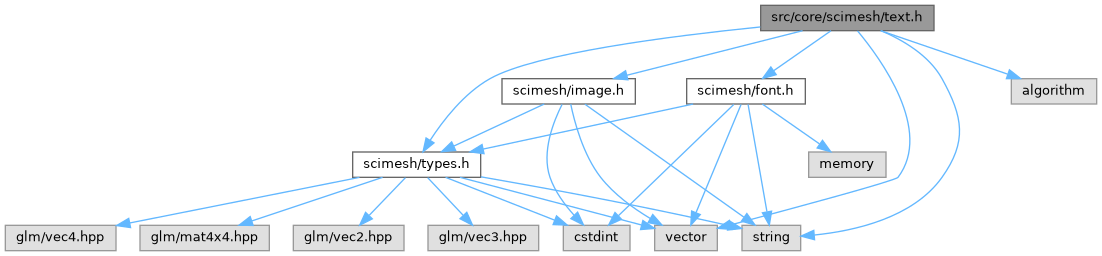
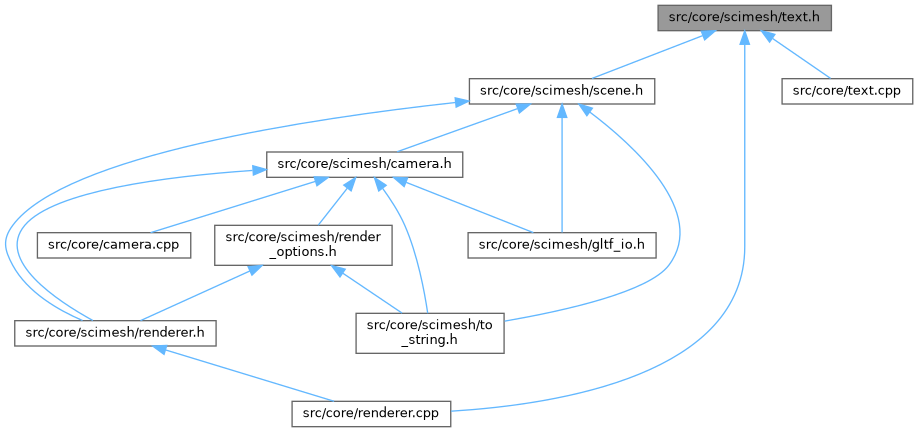
Go to the source code of this file.
Classes | |
| struct | scimesh::TextDrawStyle |
| How to draw text onto an image with draw_text(). More... | |
| struct | scimesh::TextExtent |
| Size of a (possibly multi-line) piece of text. More... | |
| struct | scimesh::TextLayer |
| A batch of text labels drawn together, in one coordinate space. More... | |
| struct | scimesh::TextNodeRef |
| A non-owning reference to one text layer in a scene, together with its placement transform (and optional name). More... | |
Namespaces | |
| namespace | scimesh |
| namespace | scimesh::detail |
| Internal helpers of the text renderer. | |
Enumerations | |
| enum class | scimesh::TextSpace { scimesh::WORLD , scimesh::SCREEN } |
| The coordinate space of a TextLayer's positions. More... | |
Functions | |
| TextExtent | scimesh::measure_text (const std::string &text, float size, const std::string &font_file="", float line_spacing=1.2f) |
| Measure a (possibly multi-line) string in a given font and size. | |
| void | scimesh::draw_text (Image &image, const std::string &text, const Font &font, float x, float baseline_y, const TextDrawStyle &style=TextDrawStyle()) |
| Draw text into an image at a given position and baseline. | |
| void | scimesh::detail::render_text_layers (const std::vector< TextNodeRef > &layers, Image &output, const Mat4 &view_projection, float pixel_scale, const std::vector< float > &z_buffer, const Color &default_color) |
| Draw all text layers into an already rendered image. | |
Detailed Description
Text labels — the TextLayer.
Text layers are the third kind of screen-oriented primitive in scimesh, next to line layers (see lines.h) and meshes: they belong to a Scene, are drawn after the meshes and lines, and are ignored by the bounding box and by the mesh exporters, so adding labels never changes the camera framing.
A text layer is a list of strings with positions. Positions are either world space (projected with the scene camera, so a label sticks to the 3D point it annotates — good for "this sulcus", "this atom") or screen space (fixed output pixels — good for figure titles and axis labels). Labels are drawn as billboards, i.e. they always face the camera and keep their physical size; they are not 3D geometry, which is what makes them stay readable from any viewpoint.
The font comes from a .ttf file (see font.h); by default the bundled Inter-Regular.ttf is used. Glyphs are rasterized with anti-aliasing at the supersampled resolution, so labels are crisp and stay the same physical size when RenderOptions::aa_samples is raised.
- Example
- See also
- Font, draw_text(), Scene::add_texts()
Definition in file text.h.