A batch of text labels drawn together, in one coordinate space. More...
#include <text.h>
Public Member Functions | |
| size_t | count () const |
| Number of labels in this layer. | |
| bool | empty () const |
| Whether this layer holds no label with a position and a string. | |
| Color | color_or (size_t i, const Color &fallback) const |
Color of label i, falling back to fallback when the layer holds no colors at all. | |
| Vec3 | position_or (size_t i) const |
Position of label i (origin when out of range). | |
| const std::string & | string_or (size_t i) const |
String of label i (empty when out of range). | |
Public Attributes | |
| std::vector< Vec3 > | positions |
| Anchor positions, in world space or in screen pixels. | |
| std::vector< std::string > | strings |
One string per entry in positions (UTF-8; \n for line breaks). | |
| std::vector< Color > | colors |
One color per label; may be empty (then the renderer uses RenderOptions::default_color) or shorter than positions (the last entry is reused for the remaining labels). | |
| std::string | font_file |
Path to the .ttf file to use, or an empty string for the bundled default font (see default_font_path()). | |
| float | size = 16.0f |
| Text height ("em" size) in output pixels (default: 16). | |
| TextSpace | space = TextSpace::WORLD |
Coordinate space of positions (default: TextSpace::WORLD). | |
| Vec2 | adj = Vec2(0.5f, 0.5f) |
| Where the position sits relative to the text box, in [0, 1]. | |
| Vec2 | offset = Vec2(0.0f, 0.0f) |
| Extra offset applied after anchoring, in output pixels (positive x = right, positive y = down). | |
| float | line_spacing = 1.2f |
| Distance between two lines of a multi-line string, as a multiple of the height of the font's glyph box (default: 1.2). | |
| float | rotation = 0.0f |
| Rotation of the label in degrees, counter-clockwise, about the anchor position (default: 0). | |
| bool | depth_test = true |
| Whether the label is hidden by geometry in front of its anchor (default: true). | |
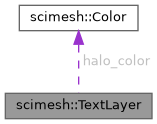
| Color | halo_color = Color(0.0f, 0.0f, 0.0f, 0.0f) |
| Color of the halo (outline) drawn behind the glyphs. | |
| float | halo_width = 1.0f |
| Halo thickness in output pixels (default: 1). | |
Detailed Description
A batch of text labels drawn together, in one coordinate space.
A text layer belongs to a Scene (see Scene::add_texts()) and is drawn by the Renderer after the meshes and the line layers, so labels appear on top of the geometry — except when depth_test is on and the annotated point is behind the geometry.
Text layers are deliberately not meshes:
Scene::compute_bounding_box()ignores them, so adding labels never changes the camera framing.- The mesh exporters (
write_gltf(),write_stl(), ...) skip them.
- Example
- TextLayer layer;layer.colors = {Color(0.1f, 0.1f, 0.1f, 1.0f), Color(0, 0, 1, 1)};layer.size = 14.0f;layer.halo_color = Color(1, 1, 1, 1); // white outline for dark scenesscene.add_texts(layer);A batch of text labels drawn together, in one coordinate space.Definition text.h:208std::vector< Vec3 > positionsAnchor positions, in world space or in screen pixels.Definition text.h:213std::vector< Color > colorsOne color per label; may be empty (then the renderer uses RenderOptions::default_color) or shorter th...Definition text.h:221std::vector< std::string > stringsOne string per entry in positions (UTF-8; \n for line breaks).Definition text.h:216
- See also
- Font, TextSpace, draw_text(), Scene::add_texts()
Member Function Documentation
◆ color_or()
◆ count()
|
inline |
◆ empty()
|
inline |
◆ position_or()
◆ string_or()
Member Data Documentation
◆ adj
◆ colors
| std::vector<Color> scimesh::TextLayer::colors |
One color per label; may be empty (then the renderer uses RenderOptions::default_color) or shorter than positions (the last entry is reused for the remaining labels).
◆ depth_test
Whether the label is hidden by geometry in front of its anchor (default: true).
When true, a label whose anchor point is behind the rendered surfaces (e.g. an atom label on the far side of a protein) is skipped, which is what makes labels look like they belong to the scene. Set to false to always draw the labels on top of everything, which is useful for annotating a point that lies on a surface.
Only meaningful for TextSpace::WORLD.
◆ font_file
| std::string scimesh::TextLayer::font_file |
Path to the .ttf file to use, or an empty string for the bundled default font (see default_font_path()).
This makes the typeface replaceable: point it at any .ttf on the system, or at the bundled font.
◆ halo_color
◆ halo_width
| float scimesh::TextLayer::halo_width = 1.0f |
◆ line_spacing
◆ offset
◆ positions
| std::vector<Vec3> scimesh::TextLayer::positions |
Anchor positions, in world space or in screen pixels.
Interpreted according to space. For TextSpace::SCREEN only x and y are used (z is ignored).
◆ rotation
| float scimesh::TextLayer::rotation = 0.0f |
Rotation of the label in degrees, counter-clockwise, about the anchor position (default: 0).
The anchor is the position after adj and offset have been applied, so a rotated label keeps that point fixed. The rotation happens in the image plane (in screen space) for world-space labels as well, which is all a billboard can do. Use 90 to write along a vertical axis (the usual orientation of a y-axis label), 180 for an upside-down label, or any other angle to follow an annotation line; glyphs are resampled with bilinear interpolation.
◆ size
| float scimesh::TextLayer::size = 16.0f |
Text height ("em" size) in output pixels (default: 16).
The renderer scales this internally by the supersampling factor, so the physical size of a label does not change with RenderOptions::aa_samples.
◆ space
| TextSpace scimesh::TextLayer::space = TextSpace::WORLD |
Coordinate space of positions (default: TextSpace::WORLD).
◆ strings
| std::vector<std::string> scimesh::TextLayer::strings |
The documentation for this struct was generated from the following file:
- src/core/scimesh/text.h