Loading...
Searching...
No Matches
gltf_io.h File Reference
Write scenes to glTF 2.0 (.gltf + .bin) or binary glTF (.glb). More...
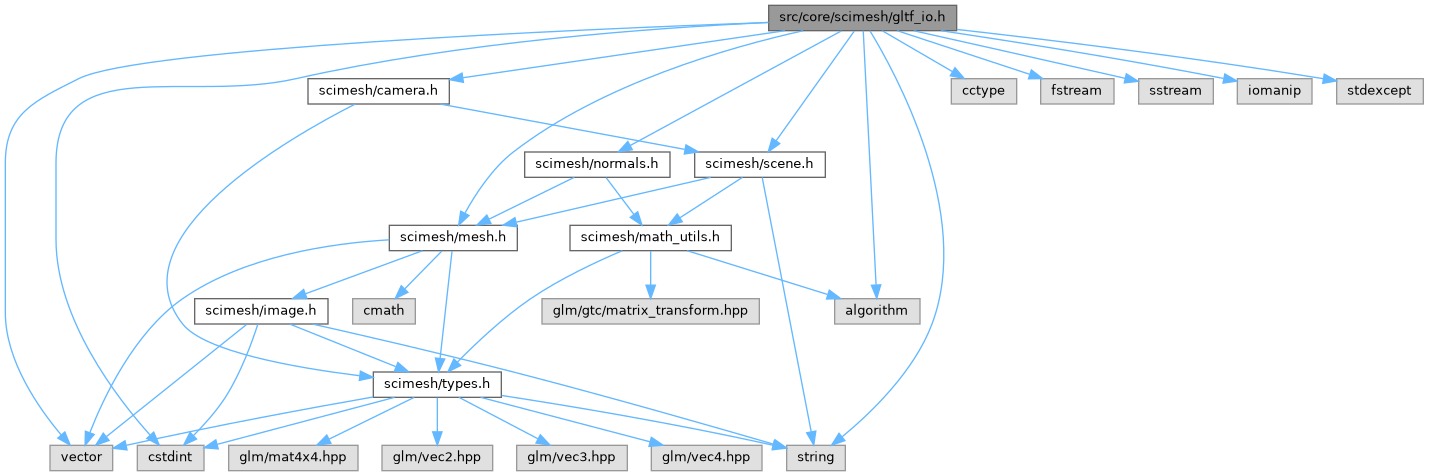
#include <scimesh/scene.h>#include <scimesh/camera.h>#include <scimesh/mesh.h>#include <scimesh/normals.h>#include <string>#include <vector>#include <cstdint>#include <cctype>#include <algorithm>#include <fstream>#include <sstream>#include <iomanip>#include <stdexcept>
Include dependency graph for gltf_io.h:
Go to the source code of this file.
Classes | |
| struct | scimesh::gltf_io::detail::PackedMesh |
| One mesh, packed into glTF-ready flat arrays. More... | |
| struct | scimesh::gltf_io::detail::GltfOutput |
| Serialized glTF scene: the JSON document plus the binary buffer. More... | |
Namespaces | |
| namespace | scimesh |
| namespace | scimesh::gltf_io |
| namespace | scimesh::gltf_io::detail |
Detailed Description
Write scenes to glTF 2.0 (.gltf + .bin) or binary glTF (.glb).
This is a one-way export: after a scene is written to a glTF file, the browser/GPU side is out of scimesh's scope. The library stays a CPU mesh renderer and simply emits a standard, shareable scene file.
What is exported
- Geometry: vertex positions (FLOAT32), normals (FLOAT32) when present (computed if missing, matching what the renderer does), indices (UINT32).
- Vertex colors mapped to the glTF
COLOR_0attribute (normalized UNSIGNED BYTE RGBA). Per-face colors have no direct glTF equivalent, so they are exported by splitting vertices (each triangle gets its own three vertices), increasing geometry ~3x. - Per-mesh placement transforms as node
matrix(column-major, matching what the renderer applies) and nodenames. - An optional perspective camera (when a
Camera*is supplied). - Diffuse materials (
metallicFactor0,roughnessFactor1): scimesh is not physically-based, so exports default to fully diffuse so they are not rendered pitch black by PBR viewers.
Renderer-specific settings (shading mode, fog, SSAO, ...) are deliberately NOT exported — they are not part of the glTF standard.
Usage
Scene scene;
- See also
- Scene, Scene::add(), write_stl()
Definition in file gltf_io.h.